The represented work
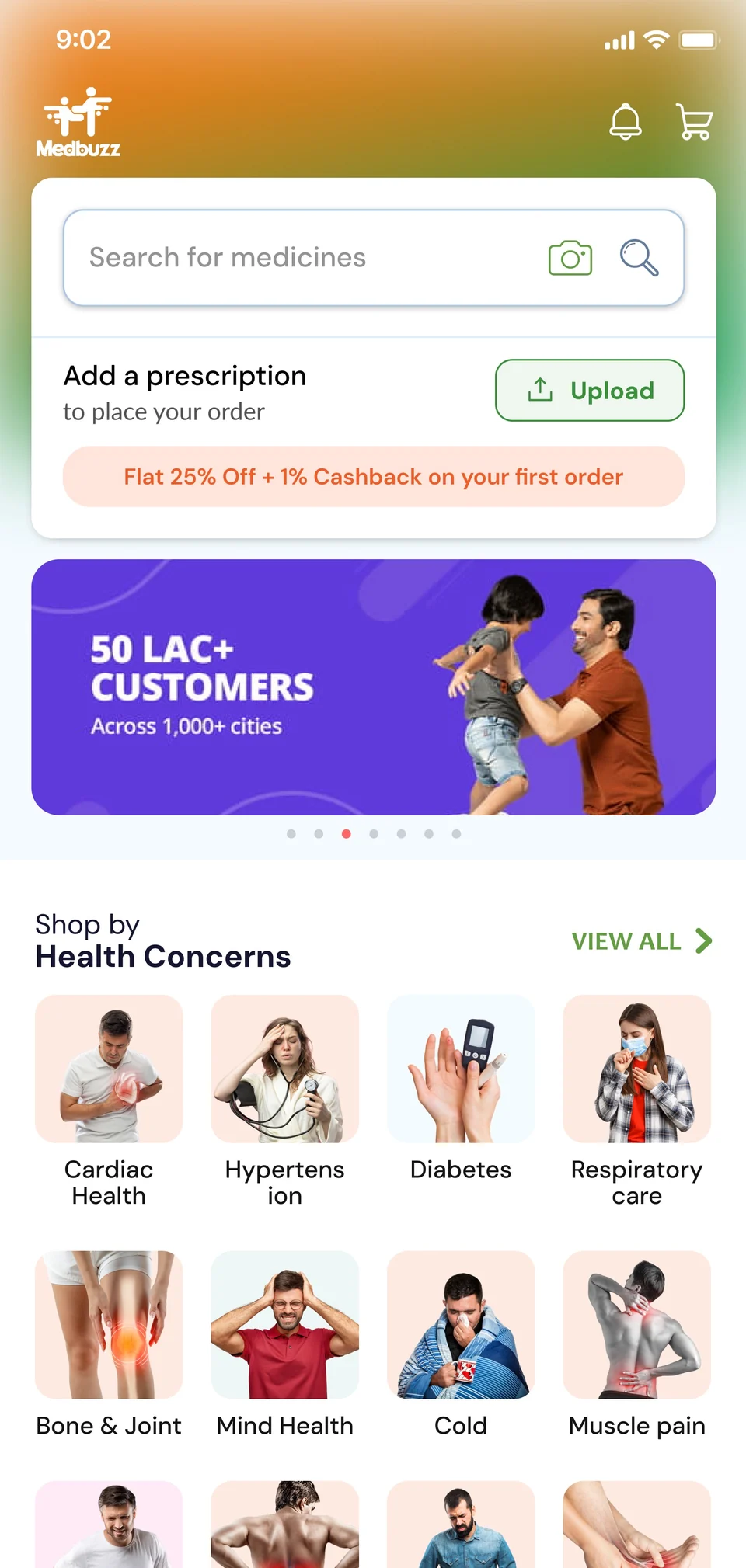
The case study shows medicine browsing, name and molecule search, prescription-upload concepts, product details, cart, order history and account screens.

Find medicines. Review details. Place an order.
A medicine-shopping product with browsing, search, prescription-upload concepts, product details and ordering. The screens explain the customer journey; they are not medical advice or evidence of clinical validation.
MEDICINE CATALOG
6
AI FLOW STAGES
4
CORE SCREENS
Smart Search
Symptom & Medicine
Upload Review
Check details
Review Results
Project scope & evidence
Medicine shoppers need a clear path from finding a product to placing an order.
The case study shows medicine browsing, name and molecule search, prescription-upload concepts, product details, cart, order history and account screens.
Search and prescription upload have separate steps. Customers can review product information before continuing to their cart.
The images show product-interface work. They do not establish clinical accuracy, regulatory approval, release coverage or measured business results.
We can use these journeys to discuss your users, business rules and integrations. Your scope and delivery plan will be agreed separately.
Users search by symptoms, fragments, packaging memory, or prescription photos—not exact product certainty
Entry Paths
Browse, Search, Upload
AI Flow Stages
Upload to Results
Commerce Screens
Search to Checkout
Household Journey
Ready Experience
Help users review search results and product information before proceeding
Make prescription scanning feel guided and transparent with confidence
Prioritize dosage, validation, and expiry clarity in every detail
Keep commerce efficient without feeling careless or rushed
Browse by category, search for a medicine, or follow the prescription-upload journey
Discover medicines by condition, category, or popular remedies. Guided discovery for those starting their search.
Browse by health conditions
Popular & trending medicines
Personalized recommendations
Generic alternatives highlighted


The search screens show medicine-name and composition searches. Matching rules and clinical review need to be agreed for a production release.
Search by molecule name
Search matching concept
Search result filtering
Price comparison view
The design shows a prescription photo moving through reading and review steps. Any extracted medicine or dosage must be checked; this case study does not verify automated clinical decisions.
Prescription OCR analysis
6-stage AI processing
Product match review
One-click cart addition

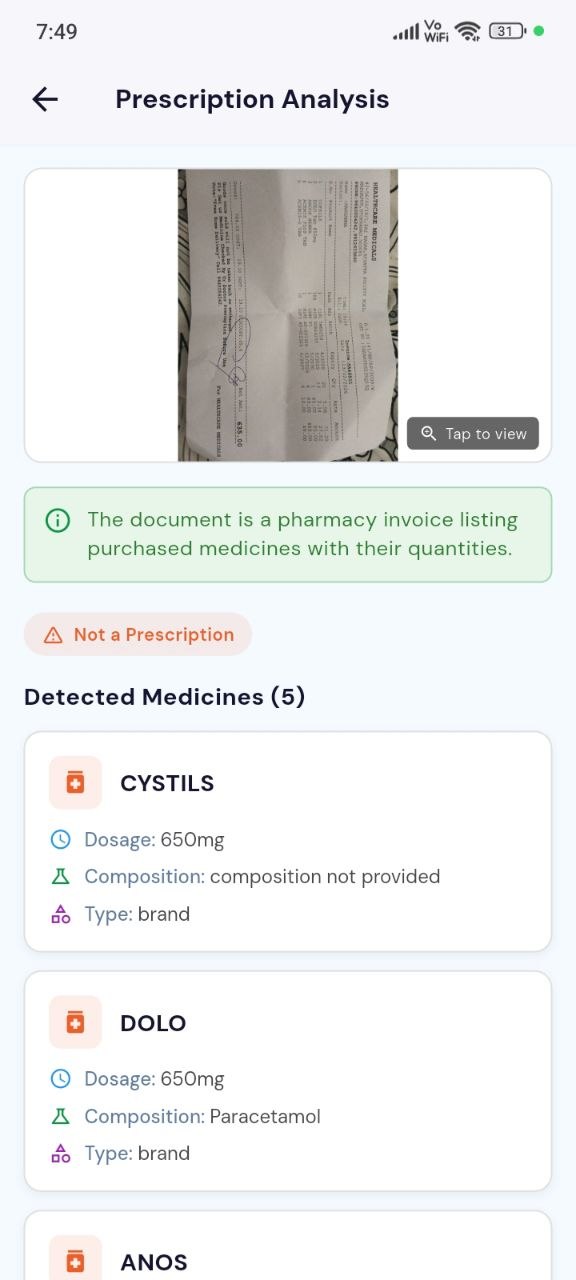

Dosage clarity, batch validation, and expiry information emphasized

Easy quantity adjustment and alternative options

Clear pricing breakdown and delivery details

Track and reorder with previous prescription links

Profile, preferences, and prescription history in one place

Manage separate family-member profiles

Chat support for medicine queries and issues
Explore the public product links and compare them with the interface work shown here.
Medicines
Customer journeys
Orders
Customer workflow
Medicine shoppers and pharmacy operations teams. Prescription intake, medicine and molecule search, product details and ordering interfaces.
Prescription intake, medicine and molecule search, product details and ordering interfaces. The case-study screens and feature explanations describe the represented product areas.
Search and prescription-related outputs need product and business review; the page does not claim a clinical diagnosis.
The represented interface brings these tasks into a connected product journey. This is a description of the software experience, not a measured increase in customers, revenue or efficiency.
Evidence: the original project screens and feature descriptions on this page. Public availability, delivery dates and measured business results are not established by interface screenshots. Approximate delivery period: not confirmed for publication. Technology and integration descriptions refer to the represented project, not guaranteed support in every new scope.